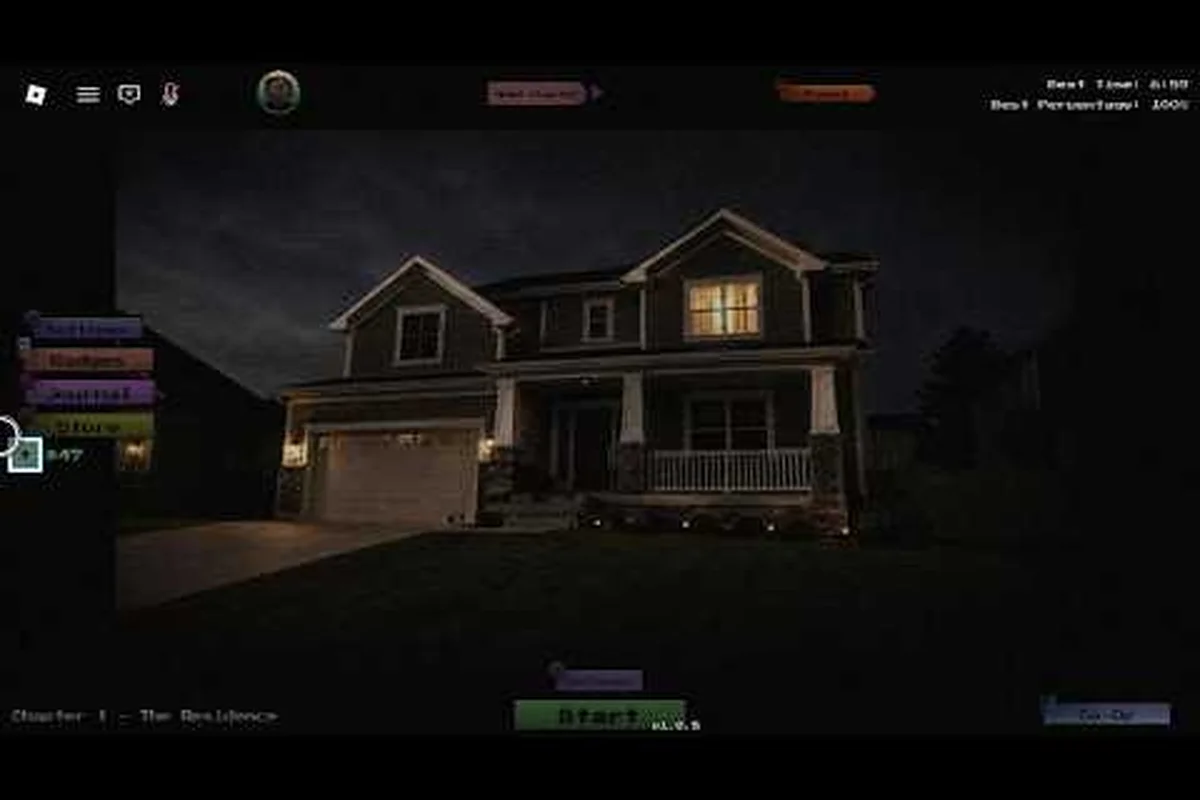
A complete anomaly detected all anomalies catalog is the single most useful resource a new monitor clerk can carry into a shift. Anomaly Detected is a surveillance-horror experience on Roblox from developer BanuTheCat under the X Core Studios group, where every chapter packs a dense pool of subtle visual changes that you must catch before your shift ends, and the game has already pulled roughly 1,932 concurrent players with 673,506 total visits and 30,306 favorites according to community-tracked page metrics as of mid-September 2026.
What Counts as an Anomaly in Anomaly Detected
In Anomaly Detected, an anomaly is any deliberate visual deviation from a room's baseline state. Your job as the night-shift clerk is to memorize the baseline — the way each camera feed should look when nothing is wrong — and then call out the moment something moves, appears, disappears, recolors, or rotates. Misses are tallied against you, and once the miss counter runs out the shift ends permanently for that run.
The game ships with five chapters, each one set in a different building type: a residential house, a neighborhood block, a school, a hospital, and a shopping mall. Every chapter pulls from its own internal pool of anomaly types, which is why a tier-1 "wrong painting" pattern in the house chapter does not show up in the hospital chapter. Players who want a true anomaly detected complete anomalies list therefore need to track entries per chapter rather than chasing a single global pool.
According to the Roblox Anomaly Detected Chapter 2 - Even More Grinding (Cr1ms0nX), the title is built around a "find the difference" loop layered on top of a monitor-horror atmosphere, with up to 8-player co-op support so a crew can divide cameras and survive longer shifts. A community grind walkthrough by Cr1ms0nX covering Chapter 2 confirms that the chapter pools are dense enough that even experienced players routinely miss a baseline change in the first few seconds of a feed.
Anomaly Categories by Visual Cue
Every anomaly in the game falls into one of a handful of visual-cue families. Memorizing the family makes the spawn much easier to spot because your eye starts scanning for the same type of deviation every time you pull up a feed.
-
Object replacement — a familiar prop is swapped for a different one (e.g. a red toolbox becomes a green one).
-
Object addition — an extra object appears that was never part of the baseline.
-
Object removal — a baseline object is missing from the room.
-
Object movement — a prop is shifted to a clearly different position.
-
Texture or color change — a wall, floor, or fixture is recolored or resurfaced.
-
State change — a functional object is toggled (door open, light on, TV static, blinds rotated).
-
Living presence — a person, creature, or shadow appears in a feed that should be empty.
Anomaly Detected Anomaly List by Chapter
The fastest way to build a personal anomaly detected anomaly list is to work chapter by chapter. The table below summarizes what each chapter covers based on the developer's structure and community reports; exact entry counts shift with patches, so always cross-reference your in-game Journal tab as the live source of truth.
| Chapter | Setting | Anomaly Pool Size (approx.) | Difficulty Tier | Journal Reward |
|---|---|---|---|---|
| Chapter 1 | Residential House | ~15–18 entries | Beginner-friendly | House completion badge |
| Chapter 2 | The Neighbourhood | ~22–25 entries | Easy-to-moderate | Neighborhood badge |
| Chapter 3 | School | ~28–32 entries | Moderate | School badge |
| Chapter 4 | Hospital | ~30–35 entries | Moderate-to-hard | Hospital badge |
| Chapter 5 | Shopping Mall | ~35+ entries | Hardest | Mall badge + finale frame |
Chapter 1 is intentionally gentle so you can learn the camera-switching rhythm, and it is also where the bulk of first-time players stop — the badge acquisition rate across the title is sitting near 14.9 percent on normal difficulty, which tracks with the Chapter 2 drop-off community creators like Cr1ms0nX regularly point out.
Where Anomalies Hide on Each Map
Anomalies rarely appear in the dead center of a frame. They tend to be tucked into corners, edges, or low-contrast regions that look identical to the baseline at a glance, which is exactly why the spawn zone table below leans so heavily on peripheral cues like corner seams, shadow pockets, and head-height wall patches instead of obvious mid-room props. Because every Chapter 1 and Chapter 2 camera in Anomaly Detected frames the room off-axis, designers exploit that geometry to hide a new anomaly type in the same quadrant across multiple shifts, so a miss in one run usually means checking the same corner family on the next camera.
| Spawn Zone | Why It Works as a Spawn Spot | Tell to Scan For |
|---|---|---|
| Corners of rooms | Camera lens and room geometry compress detail | Outlines that break the corner seam |
| Behind furniture | Often left in shadow on purpose | Color patches where shadow should sit |
| On walls at head height | Sits in the player's natural scan path | Patches that don't match wall texture |
| Inside cabinets, drawers, blinds | State-driven cues | Open state vs. baseline closed state |
| Hallways and doorways | High-traffic paths with predictable lighting | Moving silhouettes between frames |
| On or near monitors/TVs | Echoes the "screen inside a screen" horror theme | New glow, static, or extra object on screen |
If you want a deeper breakdown of which camera covers which spawn zone, the camera layout and position guide maps every Chapter 1 and Chapter 2 camera to its dominant spawn quadrant, which is the fastest way to convert a list of anomaly types into a working watchlist.
Anomaly Types and Spawn Cues Explained
The anomaly detected all anomaly types pool breaks down into a few recurring mechanics, and once you recognize the mechanic the specific entries become far easier to predict. The table below condenses the spawn-cue families that show up across the full chapter set.
| Anomaly Type | Common Spawn Cue | Difficulty Impact | How Often It Appears |
|---|---|---|---|
| Object replacement | Same position, wrong item | High miss rate for new clerks | Frequent in Chapter 2+ |
| Object addition | Baseline plus an extra prop | Moderate | Frequent |
| Object removal | Empty space where prop belongs | Easy to spot with practice | Frequent |
| Object movement | Shifted along a wall or shelf | Moderate | Very frequent |
| Color/texture change | Recolored surface on furniture or wall | Hardest to catch | Pervasive in late chapters |
| State change | Open doors, lights toggled, TV on | Easy to moderate | Frequent |
| Living presence | Person, creature, or shadow in frame | High jump-scare risk | Rarer but always present |
When a living presence spawn lands, it usually chains into a jumpscare window, and the jumpscare and monster entity breakdown catalogues the specific entities that can appear on the Neighbourhood and School maps. If you treat each anomaly type as a "cue family" rather than a unique entry, the anomaly detected anomaly guide workload drops dramatically because your scan path is the same every time.
How Many Anomalies Are in Anomaly Detected
Players regularly ask how many anomalies exist across the full game, and the honest answer is that the count is chapter-bound and patch-sensitive. Community estimates cluster around 130–150 unique anomaly entries when all five chapters are combined, and that number grows whenever BanuTheCat ships an update. Because the Journal tab awards a new entry every time you spot a previously unseen anomaly, the journal completion and 100% guide is the most reliable way to verify your own personal count rather than trusting a static online list.
How to Catch Every Anomaly in a Shift
You do not need to memorize every anomaly to clear a chapter. You need a repeatable scan loop that catches the cue family, then confirm whether the entry is new. The loop below is what experienced co-op crews run on the harder maps.
-
Lock the baseline first. Spend the first 10–15 seconds of a fresh shift cycling every camera and registering the "normal" version of each room. This is the single biggest factor in spotting texture recolors and silent object removals.
-
Cycle cameras on a fixed rhythm. Jumping cameras randomly invites change blindness. A 3–5 second dwell on each feed, in the same order every cycle, lets your visual memory do the heavy lifting.
-
Scan edges and corners first. Spawn designers hide entries where rookies don't look. Train your eyes to hit corners, behind furniture, and at door thresholds before checking the center of the frame.
-
Call anomalies as a team. In 8-player co-op, assign each player a fixed subset of cameras so coverage is guaranteed and your chapter and contract progression track stays clean.
-
Cross-check with Journal. Every confirmed anomaly is logged automatically. If Journal isn't ticking after a call, you may have flagged a false positive and need to release the call.
-
Reset on miss tolerance. When the miss counter climbs, slow your camera cycle down. Slower cycles catch more subtle texture changes than frantic switching.
Common False Positives and How to Avoid Them
False positives — calling a baseline that is actually clean — are how most shifts end early, and a handful of recurring patterns account for the majority of those wasted calls. Door swings misread as state changes, monitor desyncs flagged as recolor anomalies, and shadows mistaken for living presence each repeat across shifts because the baseline was either too short, taken under different lighting, or captured before the warm-up cycle finished. Treating the table below as a reference — not a suggestion — is what separates a clean run from one that burns out on the second or third room.
| False-Positive Pattern | Why It Happens | Fix |
|---|---|---|
| Calling a normal prop as "extra" | Baseline not fully registered | Run a longer warm-up cycle before flagging |
| Calling lighting flicker as anomaly | Engine light flicker on lower-end clients | Confirm across two camera cycles |
| Calling a door swing as state change | Door was actually closed at baseline | Recheck after a few seconds |
| Calling a shadow as living presence | Light source shifted naturally | Check neighboring camera before flagging |
| Calling a recolor when monitor is desynced | HUD color issue, not a real anomaly | Reset camera and re-examine |
Strategy for 100% Journal Completion
Chasing 100% Journal completion on Anomaly Detected is the only way to confirm you have personally seen every anomaly the game has shipped, and the badge and achievements list confirms that several chapter badges are tied directly to Journal milestones rather than raw shift count.
| Completion Tier | What It Requires | Realistic Time Estimate | Failure Rate |
|---|---|---|---|
| 25% Journal | First-time clears of Chapters 1–2 | 3–6 hours | Low |
| 50% Journal | Most Chapter 3 anomalies catalogued | 10–15 hours | Moderate |
| 75% Journal | All Chapter 4 + most Chapter 5 | 25–40 hours | High |
| 100% Journal | Every anomaly logged on every chapter | 50+ hours | Very high |
Because new patches can add anomaly entries mid-progress, the safest path to 100% is to work the latest patch's chapter pools in order and finish each chapter's Journal before moving on. If you jump between chapters, you risk logging an entry from a later chapter without its full context and wasting shift runs on entries you have already seen.
Veteran Difficulty and Hidden Anomaly Variants
Veteran difficulty does not just bump the spawn rate; it introduces faster cue durations and occasionally layers two anomalies on the same camera at once. If you have already cleared the chapter on normal, Veteran is the place to pick up the anomaly entries you missed the first time around, because the new spawn timings often force your eye into a corner you would normally skim past.
The other place to find missed entries is the update patch log. Each major Anomaly Detected patch typically adds 3–8 new anomaly entries to a single chapter, and the new entries are not always announced in-game, so a quick check of the patch notes after every update is part of a serious collector's routine. The "all anomalies" community trackers refresh within a day of each patch, and matching your in-game Journal against those trackers is the fastest way to know whether you are truly at 100% or just stuck at the old cap.
Frequently Asked Questions
How many anomalies are in Anomaly Detected in total?
Across all five chapters, the running count sits around 130–150 unique entries based on community-tracked Journal fills, and the number grows with each patch. Your in-game Journal tab is the live source of truth, so cross-check it against any external list before assuming you are done.
Does every chapter share the same anomaly pool?
No, each chapter pulls from its own internal pool, which is why the same anomaly type can show up in one chapter and not another. Treat the five chapters as five separate anomaly lists and clear them one at a time for the cleanest completion path.
What is the fastest way to spot a color or texture change anomaly?
Lock in the baseline during your first camera cycle, then on every subsequent cycle force your scan path through the same wall and furniture regions in the same order. Texture recolors are the highest-miss anomaly type because the eye is wired to ignore static color fields.
Can I see every anomaly on Normal difficulty, or do I need Veteran?
Normal covers roughly 60–70% of the total anomaly pool per chapter, mostly the visually obvious recolor, duplicate prop, and missing-object variants, while Veteran adds the subtler entries such as off-axis camera angle flips, lighting temperature shifts, and double-anomaly rooms that spawn two valid changes inside the same scan window. Community-tracked completion rates show that players who only clear on Normal typically end up 25–40 Journal entries short per chapter, so a full anomaly detected all anomalies completion requires replaying each chapter on Veteran with a second player acting as dedicated call-out to catch the layered feeds in time.
What should I do if my Journal is not updating after a call?
You may have flagged a false positive, or the anomaly may belong to a different chapter than the one you are currently playing. Recheck the room carefully and confirm the call before your miss counter drains, and make sure you are in the chapter that owns that anomaly entry.