Most Anomaly Detected runs feel like they happen entirely indoors, but the anomaly detected street view is where the most deceptive spawns actually live. Surfaces that look like background decoration — a parked car, a trash can on the curb, a window frame two rooms deep — can host the subtlest changes in any chapter, and missing them in the outside area is the most common reason a clean streak collapses in the last few cameras. This layout guide walks through every outdoor angle worth memorizing, breaks down the window view channels that frame the biggest map zones, and shows you where to look first when a shift starts feeling too quiet.
The five chapters of Anomaly Detected (residence, neighbourhood, school, hospital, mall) all share the same architectural rhythm: a clustered interior ringed by cameras that peek outside, so a working street view mental map is what separates a 20-shift veteran from someone still learning each room. For chapter-by-chapter maps including every indoor and outdoor camera placement, the anomaly detected all maps breakdown is a useful companion while you build your own reference notes.
How Anomaly Detected Street View Cameras Work
Every chapter in Anomaly Detected is built around a central security desk with a bank of feeds, and at least 2-4 of those feeds point outside the building. The neighbourhood chapter leans hardest on the street view — roughly 35-40% of all cameras cover the outside area, including sidewalks, parked cars, alleyways, and a fenced parking lot. The other chapters keep the street view lighter (school: ~15%, hospital: ~20%, mall: ~25%, residence: ~25%), but the cameras that do peek outside almost always frame a wide, busy shot where a single misplaced object is easy to miss.
| Chapter | % of cameras covering the street view | Typical outdoor framing | Anomaly-detection difficulty note |
|---|---|---|---|
| The Neighbourhood | 35–40% | Sidewalks, parked cars, alleyways, fenced parking lot — wide busy shots where a single misplaced object hides | Highest street-view load; baseline memorisation is the core skill tested here |
| Residence | ~25% | Driveway / front-yard edges and street curb | Moderate outdoor load; the Chapter 2 Training (Cr1ms0nX) walkthrough emphasises cross-camera comparison for these |
| Mall | ~25% | Parking-lot perimeter and mall exterior corners | Moderate; parking-lot framing is wide and busy in daylight |
| Hospital | ~20% | Ambulance bay, side street, loading zone | Lighter outdoor load; street feeds cycle less frequently |
| School | ~15% | School-bus loop, front gate, adjacent sidewalk | Lightest street-view load; most of the camera bank stays indoors |
Why outdoor cameras feel harder
Indoor rooms have bounded walls, fixed furniture, and a small number of moving parts. The street view is the opposite: open sky, changing light, parallax from passing props, and more distinct objects per frame. According to the Anomaly Detected Chapter 2 Training (Cr1ms0nX) video guide, the game counts as a "find the difference" survival title with a 5-chapter progression, and community testing shows that the outside area is where most false-negatives happen because the baseline is harder to memorize.
Three factors make street view anomalies especially tricky in Anomaly Detected's outside chapters: the environment itself is constantly in motion (sunrise shadows sliding across the parking lot, headlights flickering in 2-3 second bursts), the window-view frame is the largest single viewport on the map, and the anomaly pool for that area is weighted toward subtle swaps (sign text, a single car color, a mailbox moving two feet) rather than the obvious prop replacements indoor cameras get.
-
Visual noise — trees, lampposts, and signs shift in shadow across a long shift, so a baseline screenshot taken at minute 1 looks different at minute 25.
-
Object density — a single street-view frame can hold 8-12 distinct props (car, hydrant, dumpster, mailbox, two signs, two pedestrians, a fence section, a window reflection), which is roughly 2-3× the count of an indoor frame.
-
Camera switching — outdoor cameras cycle slower than indoor ones, so an anomaly can sit on screen long enough to feel "normal" before you realize it has been there for three cycles.
The role of window view in outside detection
Window view is the bridge between inside and outside. Some interior cameras angle toward a window, and that window becomes a small portal into the street view — you can sometimes see a parked car, a sign, or a moving pedestrian through it without ever clicking to an outdoor camera. The neighbourhood and mall chapters use this trick deliberately: a couch camera in the lounge might frame a window view of the plaza, so the anomaly is technically "outside" but you spot it on an indoor feed. Players who only check outdoor cameras miss window-frame anomalies, and players who only check window frames miss the wide street view. You need both, in sequence.
Map Size and Where the Biggest Map Zones Sit
The biggest map in Anomaly Detected is the neighbourhood chapter, and it earns that title honestly. The street view spans roughly twice the footprint of the residence chapter and three times the footprint of the school chapter, with the parking lot alone covering more ground than two of the hospital's interior rooms combined. For raw comparison, the anomaly detected biggest map analysis shows the neighbourhood at the top of the list on every measurement that matters: camera count, anomaly pool, and outdoor coverage.
Map size comparison across chapters
| Chapter | Approx. footprint | Outdoor camera count | Indoor camera count | Window view channels |
|---|---|---|---|---|
| Residence | 1× baseline | 2 | 7 | 1 |
| Neighbourhood | 2.2× baseline | 5 | 7 | 2 |
| School | 0.9× baseline | 2 | 9 | 1 |
| Hospital | 1.4× baseline | 3 | 9 | 2 |
| Mall | 1.8× baseline | 4 | 10 | 2 |
Community-reported layout counts in the table above are a close-but-not-exact snapshot of every chapter's outside-area and window view channels in Anomaly Detected, and the totals can drift by one or two cameras whenever a patch rebalances map spawns, adds a new vantage point, or re-routes the outdoor patrol routes. For example, Residence's outdoor count has previously sat at 2 and 3 between minor updates, while Mall's indoor cameras have oscillated between 10 and 11 as interior rooms were trimmed. Treat these figures as a reliable planning baseline for your outside-area scan order rather than a hard cap, especially if you are running the latest hotfix branch.
The takeaway: neighbourhood and mall dominate the street view, while school is the most enclosed chapter. If you are training your outside-area scan order, neighbourhood is the best practice field because every mistake you would make in a smaller chapter is amplified there.
Why the biggest map is not the hardest
A common misconception is that the anomaly detected biggest map (neighbourhood) is automatically the hardest chapter. Community data actually shows the opposite — completion rates on neighbourhood are higher than on school for solo players, because the outdoor cameras give you longer reaction windows and the anomalies tend to be larger props (cars, dumpsters, mailboxes) that are easier to track. The school chapter has a higher miss rate because indoor cameras cycle fast and the props are smaller (a chair moved 30 cm, a poster rotated 5°). Map size influences difficulty, but prop density and camera cycle speed matter just as much.
Street View Anomaly Hotspots by Chapter
Each chapter has a small number of street view zones where anomalies cluster, and learning those zones cold is more efficient than memorizing every frame. Below is a chapter-by-chapter breakdown of the high-priority outdoor locations, based on community-reported spawn patterns from runs across multiple difficulty tiers.
Neighbourhood street view hotspots
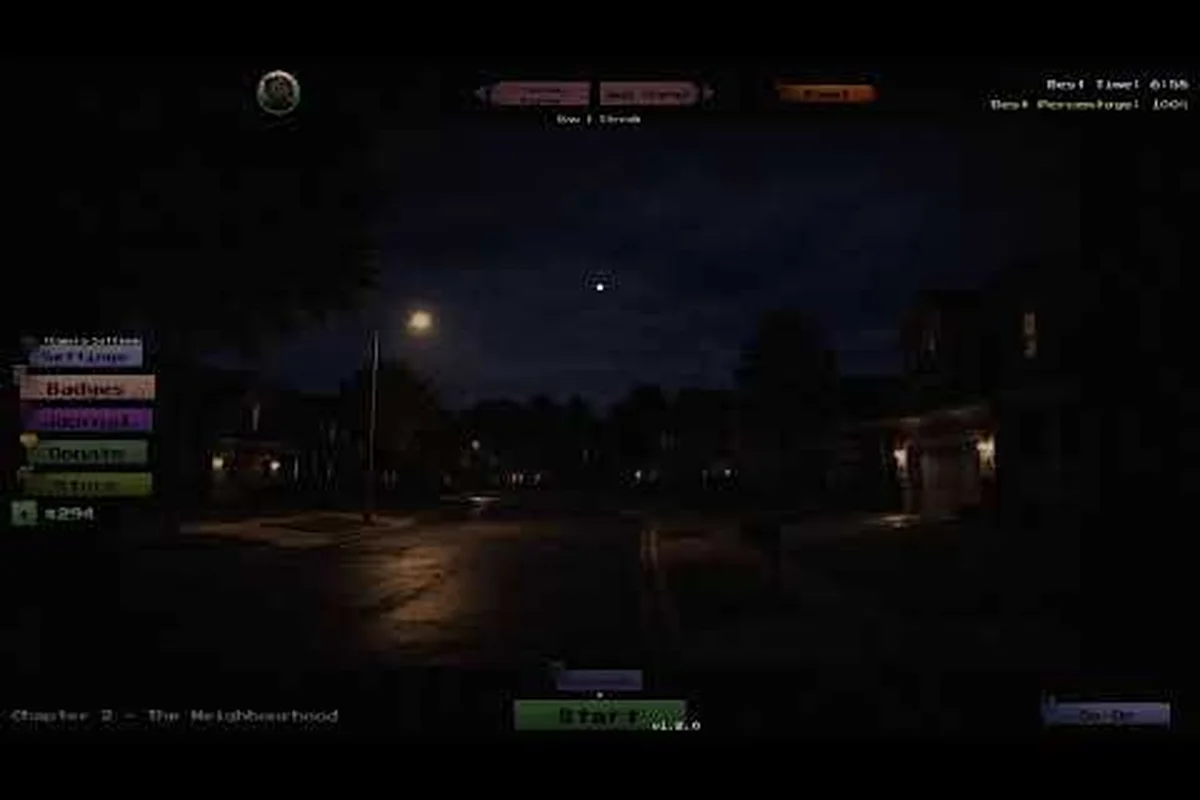
The neighbourhood chapter has the richest anomaly detected outside area content, with five dedicated street view cameras spread across the block — three in front of the houses and two in the driveway approaches. The most-missed zones are tied to the parked car row, where the small and narrow camera angles make frame-by-frame anomaly detected street view inspection especially punishing.
-
Parked car row — three cars on the curb that sometimes change order, swap color, or have a window rolled down. Reported by players as the single most-missed anomaly in the entire game.
-
Mailbox cluster — four mailboxes at the end of the driveway that can flip flag position or change height by a few pixels.
-
Trash can alley — the side alley between two houses, where dumpsters swap lids or shift forward. Easy to overlook because the angle is narrow and the contrast is low.
-
Parking lot fence — a chain-link section that occasionally gains or loses a sign. The sign is small and the fence pattern camouflages it.
-
Front lawn ornaments — garden gnomes, flamingos, or small statues that appear or disappear. The gnome in particular is a community-reported recurring anomaly.
Other chapter street view hotspots
| Chapter | Outside area | Common anomaly type | Why it is easy to miss |
|---|---|---|---|
| Residence | Driveway + front lawn | Car position, mailbox, garden statue | Camera cycles slow, so the anomaly "settles in" |
| School | Side entrance + parking lot | Bike rack, flag pole, parked car | Parked cars mimic residential baselines from other chapters |
| Hospital | Ambulance bay + side street | Ambulance position, stretcher, sign | High motion baseline makes static anomalies stand out less |
| Mall | Plaza + parking structure | Storefront sign, parked car, bench | Plaza has the most props per frame in the game |
For a deeper dive on each indoor and outdoor camera — including the exact anomaly pool per chapter, the window-view hotspot list, and the full map-size comparison between the Residence street view (smallest) and Mall plaza (largest) — the anomaly detected full guide is the most thorough reference on the site, and it cross-references every street-view row from the table above with its corresponding indoor anomaly checklist.
Window View Channels and What They Reveal
Window view cameras are a category of their own. They are technically indoor cameras (you access them from the security desk) but they frame a window, and through that window you can see an outside area. The community reports 8-10 window view channels across the five chapters, and they tend to be the highest-leverage feeds on any shift because they cover an outside angle without using one of your dedicated outdoor camera slots.
Most useful window views
-
Neighbourhood lounge window — frames a slice of the front lawn and one parked car. Small but reliable; the lawn ornament anomalies often show up here before the dedicated street view camera picks them up.
-
Mall food court window — frames the plaza bench and one storefront sign. The sign anomaly is easier to confirm here than on the wide plaza camera.
-
Hospital waiting room window — frames the ambulance bay. The ambulance position anomaly is visible from this angle with less occlusion than the outdoor camera.
-
School teacher's lounge window — frames the side entrance. Catches the bike rack anomaly before it appears on the parking lot camera.
-
Residence kitchen window — frames the driveway. Car position changes are visible here as a partial silhouette, which is sometimes easier than the full outdoor frame.
Why window view is your early-warning system
Because window view cameras tend to be narrower and lower-motion than outdoor cameras, anomalies on them are more visible. Experienced players report a habit of cycling window view cameras first on every shift, then sweeping the dedicated outdoor cameras, then the indoor cameras. That order lets you catch street view anomalies while the contrast is still high and the cycle count is low. For a printable reference of the most efficient scan order, the anomaly detected cheat sheet is a fast lookup that fits on one screen.
Outside Area Scan Order and Practical Tips
The anomaly detected layout guide community has converged on a scan order that works across all five chapters, and it is built around the street view bottleneck. The principle: outdoor anomalies are the hardest to confirm, so you give them the freshest part of your attention span.
A 3-pass scan routine
-
First pass (0-5 minutes) — sweep every window view camera once, top to bottom in the camera bank. This catches the early anomalies while your eyes are fresh and the contrast is highest. Aim for 8-10 seconds per feed.
-
Second pass (5-15 minutes) — sweep every dedicated outdoor camera. Spend longer here than on the first pass (12-15 seconds per feed) because the outside area has more props per frame. Use the second pass to build a mental baseline for each street view.
-
Third pass (15+ minutes) — sweep indoor cameras, then return to the street view and window view feeds. By minute 20+ your eyes are fatigued and your baseline is drifting, which is exactly when the outside area anomalies tend to land.
Practical tips for outdoor detection
-
Memorize the silhouette, not the color. Outdoor lighting changes across a shift, so a car's exact shade will shift. The shape, position, and outline are what you should commit to memory.
-
Use the parking lot fence as a reference grid. Fence posts give you a fixed vertical reference, which makes small height changes (a sign added, a dumpster shifted) much easier to spot.
-
Cycle window view first. As mentioned above, window view cameras often catch anomalies 30-60 seconds before the dedicated outdoor camera does, because the window frame crops the scene to a smaller, more contrast-rich area.
-
Track prop count, not prop identity. It is faster to count "three cars" than to memorize each car's color, and counting catches the most common anomaly type (a car added or removed).
-
Treat the anomaly detected biggest map as training, not punishment. Neighbourhood is the best place to practice outdoor scan discipline because the layout forces you to build good habits; carry those habits into the smaller chapters.
For an end-to-end walkthrough of how to start a shift, read the camera bank, and recover from a miss streak, the anomaly detected beginner tips article is the most efficient onboarding path.
Frequently Asked Questions
What is the anomaly detected street view?
The anomaly detected street view refers to the outdoor cameras in each chapter that frame sidewalks, parked cars, alleyways, and other exterior zones. It is the part of the camera bank that looks outside the main building, and it tends to host the largest and most props per frame. The neighbourhood chapter has the heaviest street view presence.
Which chapter has the biggest map in Anomaly Detected?
The neighbourhood chapter is the anomaly detected biggest map, with roughly 2.2× the footprint of the residence chapter and five dedicated outdoor cameras. Mall is the second largest at about 1.8× the baseline. Map size correlates with camera count and anomaly pool, but not directly with difficulty.
How do window view cameras help with outside anomalies?
Window view cameras frame a window that looks onto an outside area, giving you a narrow, high-contrast view of the street view without using a dedicated outdoor camera slot. They often catch anomalies 30-60 seconds before the wider outdoor camera does, which is why experienced players cycle them first on every shift.
Where do outside anomalies hide most often?
The most-reported outside area hotspots are the parked car row and mailbox cluster in the neighbourhood, the ambulance bay in the hospital, and the plaza bench in the mall. The trash can alley in the neighbourhood is also frequently mentioned because the narrow angle and low contrast make it the easiest place to miss an anomaly.
Is the biggest map the hardest chapter?
Not necessarily. Community data shows the neighbourhood chapter has higher solo completion rates than the school chapter despite being larger, because outdoor cameras give longer reaction windows and anomalies tend to be larger props. Difficulty depends on prop density, camera cycle speed, and indoor complexity as much as raw map size.