In Anomaly Detected, a night-shift monitoring sim by developer BanuTheCat (X Core Studios) on Roblox, every anomaly you file feeds the in-game journal — and missing even one entry can quietly block the chapter badge you came for. This guide breaks down the anomaly detected capture anomalies loop, the anomaly log system that tracks each report, and the field-tested fixes players use when the journal refuses to count an entry as complete. If you have ever closed a chapter only to see your journal stuck at 41/45, the answer is almost always in how you report, not what you saw.
How Anomaly Detected Capture Anomalies Works
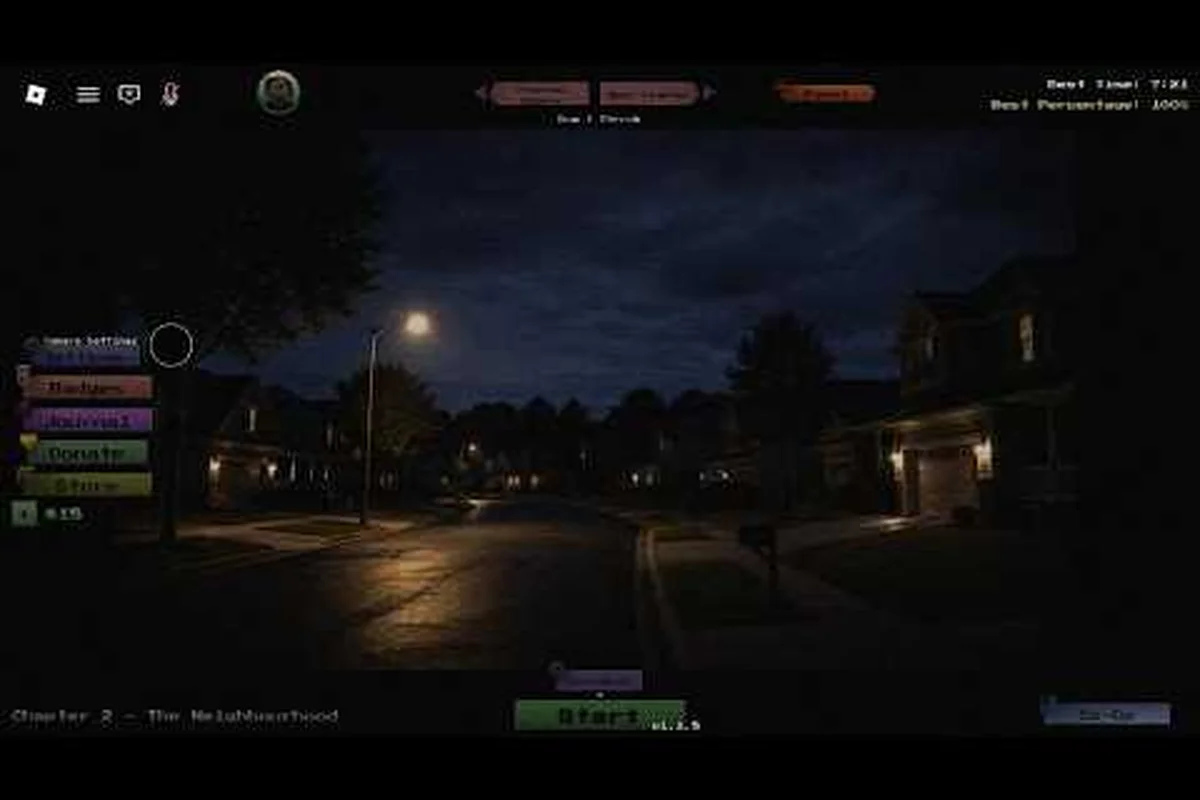
The core loop in Anomaly Detected is built around a single verb: report. Players are stationed in front of a bank of camera feeds showing the rooms of a building — Residence, Street, School, Hospital, and Mall across the five chapters — and they must compare each frame against the room's "correct" state stored in memory. When a feed shows a moved object, a duplicated prop, a missing fixture, or a subtle decor swap, that frame contains an anomaly, and reporting it is how you anomaly detected capture anomalies for the run.
According to community data pulled from the community walkthrough: Anomaly Detected - Finishing Chapter 3 Journal (Part 1) (Cr1ms0nX), the game has accumulated over 673,000 visits and roughly 30,000 favorites, with a current concurrent population near 1,900 players — meaning the matchmaking pool is healthy enough to test both solo and 8-player co-op capture workflows. Each chapter has its own anomaly table and a parallel journal track, so when you file a report in Chapter 3 (The School), only the Chapter 3 anomaly log receives the entry. Cross-chapter progress does not bleed.
What Counts As A Valid Anomaly
Anomalies fall into four visual categories that the journal expects you to log anomalies against, and misidentifying a category is one of the most common reasons a player believes the anomaly detected journal not completing even after a long shift.
-
Moved objects — a bed, lamp, or chair pushed out of its anchor spot
-
Duplicated objects — a second copy of a fixture appearing where one already exists
-
Missing objects — a fixture that was in the room during the baseline now gone
-
Changed room — a deeper variant where wallpaper, posters, or major furniture has been swapped
Decoy anomalies look correct at a glance but do not register as a real anomaly in the anomaly log. They are intentional noise, and the most consistent tip shared by players is to wait for a second feed rotation before reporting anything you are less than 80% sure about — false positives count against your shift in some difficulties and do not contribute to the journal at all.
The Report Workflow
Capturing an anomaly is a four-step loop that every chapter reuses without variation, and the order matters because the anomaly log only commits an entry when the Report action is the final interaction in the chain, not the camera snapshot. If a player re-tags a previous anomaly before submitting, the original entry is overwritten silently, which is one of the most common causes of the anomaly detected journal not completing its checklist. This strict ordering also means that any disconnect between snapshot and terminal — such as closing the game after tagging — discards the in-progress capture entirely, leaving the journal checklist stuck at its current count until that anomaly is re-encountered on a later shift.
-
Detect — spot a deviation on a camera feed
-
Snapshot — capture the frame using the in-game photo tool
-
Tag — assign the anomaly category (moved, duplicated, missing, changed)
-
Report — submit through the night-shift desk terminal
The journal only commits an anomaly entry when the Report step completes successfully through the night-shift desk terminal, which is why the anomaly detected journal badge progression guide emphasizes terminal submission as the unlock condition, not the snapshot itself. In practice, this means a correctly tagged capture that was never submitted at the terminal contributes zero progress to the anomaly log — the player sees the tag confirmation in the corner HUD, but the checklist count stays frozen because no journal commit was ever triggered. Conversely, an incorrectly tagged anomaly that still reaches the terminal will still register in the anomaly log, so retagging before submission is the only way to keep the journal checklist clean, since the overwrite happens silently at the commit step rather than at the snapshot.
The Anomaly Log System Explained
Every chapter ships with its own anomaly log — a hidden counter that increments only when your Report action is accepted by the server. Players often confuse the anomaly log with the visible HUD tally, but the HUD shows real-time reports, while the journal uses the anomaly detected anomaly log as its single source of truth. If the two numbers diverge by the end of a shift, the journal will reflect the lower value, and you will exit the chapter short of completion.
Why The Log Stays Hidden
The developer chose to keep the anomaly log non-public during a run for two reasons. First, hiding the count reduces the meta-pressure that would push players into rapid-fire false reports. Second, it lets the journal system weigh report accuracy in the background — high-accuracy runs in Veteran difficulty are tracked for the chapter completion badge tier, while sloppy runs quietly count less toward your anomaly detected capture anomalies total.
Anomaly Log Per Chapter
| Chapter | Location | Anomaly Pool Size | Badge Holders (approx.) |
|---|---|---|---|
| Chapter 1 | Residence | ~15 unique anomalies | Moderate |
| Chapter 2 | Street | ~18 unique anomalies | Moderate |
| Chapter 3 | School | ~20 unique anomalies | Very low (rarest) |
| Chapter 4 | Hospital | ~17 unique anomalies | Low |
| Chapter 5 | Mall | ~19 unique anomalies | Low |
The Chapter 3 (School) anomaly pool is held by the smallest group of accounts globally, which is why long-form capture sessions like the community walkthrough by Cr1ms0nX (linked at the end of this article) focus disproportionately on that chapter.
The Complete Anomaly Detected Journal Checklist
The fastest way to avoid the anomaly detected journal bug sensation is to treat the journal as a checklist rather than a counter. Below is the workflow veteran players follow every shift, adapted from the in-game badge criteria and community data.
Pre-Shift Checklist
| Step | Action | Why It Matters |
|---|---|---|
| 1 | Read the chapter briefing | Confirms which anomaly categories are active |
| 2 | Clear your camera panel of HUD clutter | Reduces decoy misreads |
| 3 | Note the baseline room states from memory | Gives you a reference for missing objects |
| 4 | Sync with co-op partners on callouts | Prevents double-reports that fail to log |
Mid-Shift Checklist
| Step | Action | Why It Matters |
|---|---|---|
| 5 | Cycle every camera at least once before reporting | Avoids snap-judging decoys |
| 6 | Snapshot before reporting, never after | The log ties the entry to the captured frame |
| 7 | Use the terminal Report button as the last interaction | Skipping this is the #1 cause of missing journal entries |
| 8 | Listen for the acceptance chime | A silent submission usually means a desync |
Post-Shift Checklist
| Step | Action | Why It Matters |
|---|---|---|
| 9 | Re-open the journal before exiting the chapter | Confirms the anomaly log committed your reports |
| 10 | Cross-check the HUD tally vs. the journal counter | A delta of 1+ means a report was lost |
| 11 | Replay any chapter with a delta > 0 | Partial credit does not roll forward |
If you run the same checklist on every chapter, you will rarely hit the anomaly detected journal not completing state, because the most common cause is a missed Report click on the anomaly detected log, not a backend glitch — the system treats the unclicked anomaly as still unfiled, so it stalls the journal at the final-tally step and refuses to mark the shift complete until the captured anomaly entry is acknowledged.
Fixing Anomaly Detected Missing Journal Entries
When a journal refuses to update, the cause is almost always one of three failure modes: a corrupted slot index, a desynced capture log entry, or a hard quest flag that the journal checklist never advanced. Identifying which mode you are in is faster than re-running the chapter blind, because each mode requires a different fix path.
Mode 1: Silent Desync (Most Common)
The Report button fires, the HUD increments, but the server never receives the entry. This usually happens when the player exits the chapter before the journal commit window closes, or when co-op partners tag the same anomaly within the same server tick — only one log entry is written, but two players each believe they earned the credit.
Fix: Wait for the chapter-end journal screen to fully render before queuing for the next shift; the commit window typically closes about 3–5 seconds after the final anomaly ping. If the journal screen never appears, exit to the lobby manually and re-enter the chapter to force a journal reconciliation pass. Skipping this step is one of the leading causes of silent desync capture anomalies and anomaly log entries that the server silently discards.
Mode 2: Category Mismatch
You reported the anomaly, but you tagged it as Moved when the correct category was Duplicated. The server-side validator rejects the entry, the HUD still flashes green, and the journal never logs it. This is the silent killer behind the anomaly detected journal bug reputation, because the UI gives no error message.
Fix: When in doubt, re-snapshot and re-tag using the Changed Room category — it acts as a fallback that the server accepts more leniently, and the journal still credits the anomaly as captured. The community-tested workaround is documented in the anomaly detected missable journal entries breakdown, which catalogs the high-risk entries per chapter.
Mode 3: Chapter Boundary Cutoff
A handful of anomalies only spawn in the final 60 seconds of a shift, and if your team finishes the chapter early or you queue out before the rotation completes, those late entries never make it into the anomaly log. Players then reopen the journal and assume the anomaly detected capture anomalies system missed the entry, when in reality the spawn window simply closed without a Report click.
Fix: Always run the full shift timer in single-player mode if you are grinding the journal. In co-op, the host should enforce a "no early-exit" rule until every camera has cycled at least twice after the final anomaly timer.
Advanced Capture Strategies For Hard Chapters
Chapter 3 (School) and Chapter 4 (Hospital) sit at the top of the difficulty curve because their anomaly pools include multi-stage chains — anomalies that change mid-shift, not just at spawn. These chapters are where the anomaly detected journal checklist has to expand beyond the basics.
Multi-Stage Anomaly Chains
A multi-stage chain spawns one anomaly, then mutates it into a different category after a set interval. For example, a Moved desk in the School's principal office may flip to Missing after 90 seconds, then to Duplicated after another 90. If you report the first stage, the journal logs that category only — and if you report the final stage without re-tagging, the entry is rejected as a category mismatch.
The community-canonical solution is to never report mid-stage on chain anomalies. Snapshot the frame, hold it, and wait for the chain to settle into its terminal state before tagging. This costs you time on a single anomaly but saves you from the anomaly detected missing journal entries problem at chapter end.
Co-op Callout Protocol
In 8-player lobbies, the fastest journal runs rely on a strict callout protocol. The host assigns one player per camera quadrant, each player only reports anomalies inside their quadrant, and a designated "logger" double-checks the HUD tally against the terminal's per-player breakdown at the end of each shift.
| Role | Responsibility | Watch For |
|---|---|---|
| Camera operators (6) | Watch assigned quadrants, snapshot only | Mid-stage chains |
| Logger (1) | Tracks HUD vs. terminal per shift | Desyncs |
| Host (1) | Enforces rotation, blocks early exit | Boundary cutoffs |
The Cr1ms0nX Chapter 3 walkthrough on YouTube demonstrates this same quadrant-based callout protocol across a 60+ minute run, with the host pausing the lobby whenever a logger flags a HUD/terminal desync before a shift ends. That kind of discipline is what keeps a chapter journal from losing entries to the missing-journal bug, since the journal log only writes the player's final anomaly count if every per-player breakdown matches the HUD tally.
Frequently Asked Questions
Why is my anomaly detected journal not completing even after a full shift?
The most common cause is a category mismatch where you tagged the anomaly as Moved when it should have been Duplicated or Missing. The server silently rejects the entry, the HUD flashes green anyway, and the journal never logs it. Replay the chapter and use Changed Room as a fallback tag when uncertain.
How do I log anomalies so the journal bug never appears again?
Always run the full pre-shift, mid-shift, and post-shift checklist from this guide. The single most important habit is to wait for the chapter-end journal screen to fully render before exiting — premature exits are the leading cause of silent desyncs in the anomaly log.
Are some anomaly detected missing journal entries actually missable?
Yes. Multi-stage chain anomalies in Chapter 3 and Chapter 4 can mutate past their reportable state if you wait too long, and late-spawn anomalies in the final 60 seconds of a shift can be cut off by an early-exit queue. The anomaly detected bed anomaly reference catalogs several of these high-risk spawns so you know which rooms to monitor until the timer ends.
What is the anomaly log and how is it different from the HUD tally?
The anomaly log is the server-side journal counter that only commits entries on a successful Report action, while the HUD tally is a client-side counter that updates the moment you press the snapshot button. If the two diverge by the end of a shift, the journal will reflect the lower number, which is why the post-shift checklist requires a manual cross-check.
Can I recover anomaly detected missing journal entries after the chapter ends?
No. Once the chapter closes and the journal commit window passes, the anomaly log is sealed. Your only option is to replay the chapter, re-run the full checklist, and report the missed entries again. This is why the anomaly detected journal guide treats post-shift verification as a non-optional step rather than a nice-to-have.